

Nothing kills the vibe faster than finding your new JNR Stellarc 100k not working, especially when you’ve been expecting for this latest flavor for more than a week. It’s frustrating enough to inhale nothing, but getting a mouthful of burnt vapor can ruins both your palate and your mood for the rest of the day.
So, if you’ve been there and finally reached here, asking “why is my JNR vape not working,” you deserve to get a quick solution.
But wait a sec for a quick story: Just yesterday, our support team received a frantic email from a customer named Mike. He bought two Stellarc 100k kits and thought both were broken straight out of the box. He was ready to return them and leave a 1-star review. Five minutes later, after following our simple trick, he replied: “OMG, I feel so stupid. It works perfectly now. Best vape ever!”
It happens. According to our internal data at JNR USA Store, over 28% of “defective” returns didn’t have actual defects. In fact, it was how safety features did their job. Thus, before you toss your $20+ device in the trash (please don’t, recycle it!), try these 5 instant fixes. We tested them in our lab in Sacramento warehouse, and guess what, 90% of the issues were solved.
Issue #1: Screen is On, But No Smoke? (The “Silent” Child Lock)
This is the #1 reason why “JNR Stellarc vape not working.” You take a draw, and yes, the screen shows the battery percentage correctly. The numbers may change accordingly, but no vapor comes out.
The Reality Check: Unlike those cheap disposables (maybe less than $10) from the nearby gas stations, JNR Stellarc 100K is a high-tech device. It has an advanced child safety protocol to prevent it from firing.
How to Fix It (The 5-Tap Trick)
In case you’ve lost your user manual (like who the heck reads manuals, right?).
- To Unlock: Locate the small button at the bottom or side of the device (often near the Type-C charging port). Press it 5 times quickly within 2 seconds. When you see the screen flashing, the device is successfully unlocked.
- To Remove the Insulators: It happens every single day. Check the bottom of the new pod you’ve just inserted. Is there a tiny, transparent film covering the magnetic connectors? Remove it! The device can’t find the pod with that naughty sticker.
Customer Feedback: “Was just about to throw my Stellarc away. Thought it was a dead battery til I clicked it 5 times. You’d better put this guide on the box in huge letters.” — Sarah T., Verified Buyer
Issue #2: Burnt Taste, Did I Just Kill My Coil?
Yuck. There is nothing worse than a dry hit. If your JNR tastes burnt, the wicking cotton inside the coil may be burning instead of the e-liquid.
Chain Vaping Effect
No matter how good the flavor is, patience is a virtue, after all. Sometimes you have to slow down. Our lab-testing shows that for Dual Mesh Coil, the cotton needs about 5 to 8 seconds to re-soak the e-juice after a long drag.
If you are “chain vaping” (taking hits one after another while gaming or driving), you might be evaporating the liquid faster than the pod can feed it. You are literally vaping dry cotton.
How to Save It?
- Check the Juice Level: Just look through the transparent tank of the pod. If it’s empty, it’s empty. No magic trick will fix that. Time for a refill.
- The “Priming” Wait: If the pod is brand new but tastes burnt immediately, you might be vaping too rapid. After inserting a new JNR Replacement Pod, let it stand for 3 to 5 minutes before taking that first puff, so that the juice can fully saturate the dry coil.

Brutal Truth: Once a coil is thoroughly burnt, the flavor is gone forever. You can’t un-burn toast. If the burnt taste persists, don’t force it. Just grab a replacement pod. It’s cheaper than buying a whole new kit.
Issue #3: Charging Glitches (Don’t Use Your MacBook Charger!)
You plug it in, and… nothing. Darkness. Or maybe it blinks red and stops.
Before diving into charging fixes, it helps to know how long your JNR battery should last in the first place — see our full guide on JNR vape lifespan and battery timing. Here is a secret: Your charger might be too powerful.
We see this all the time. Customers use their 65W Laptop chargers or Samsung Super Fast Chargers on their vape. The JNR Stellarc has a safety chip that detects high voltage and blocks the charge to prevent the battery from overheating.
The Fix
- Go Old School: Use a standard USB-A to USB-C cable plugged into a laptop port, or an old 5V/1A wall adapter (like those old iPhone cubes). Low and slow is the way to go.
- The “Pocket Lint” Factor: If it still won’t charge, shine a light into the charging port. Is it packed with grey fuzz from your jeans pocket? Use a toothpick to gently pick it out. You’d be shocked how often this is the culprit.
Issue #4: Leaking or “Spitting” Juice
Getting hot juice on your tongue? Not pleasant. This is rarely a defect; it’s usually physics messing with you.
If you leave your vape in a hot car (common in Texas or Florida summers), the heat thins the e-liquid into water-like consistency, causing it to leak through the coil. For a full breakdown of every leak type and fix, see our JNR vape leaking fix guide. Similarly, flying on a plane changes air pressure, forcing juice out of the tank.
The “Flick” Fix
Wrap the device in a paper towel. Hold the bottom securely and flick it downwards firmly (like you’re shaking down an old thermometer). Centrifugal force will fling the excess liquid out of the chimney. Wipe it off, and you’re good to go.
Pro Tip: If you need a device that’s built like a tank for travel, check out the JNR P5 GlassRock. Its enclosed design is a bit more leak-resistant for active users.
Issue #5: Blinking Lights (What Do They Mean?)
Your JNR isn’t just blinking to look cool; it’s trying to talk to you via error codes.
- 10 Flashes (Red): Battery is dead. It dropped below 3.2V. Charge it (using the slow charger we mentioned!).
- Rapid Flashes (3 or 5 times): Short Circuit. This usually means juice leaked onto the gold connectors. Take the pod out, wipe the gold pins with a Q-tip and a bit of rubbing alcohol, let it dry, and try again.
- 2 Flashes: You took a puff longer than 10 seconds. The device cut power so you don’t burn the coil. Take shorter hits!
Conclusion: Should You Repair or Replace?
Look, troubleshooting can solve 90% of issues, but sometimes, hardware just dies. Batteries degrade. Coils burn out. Knowing when to quit is key.
- Battery works, but flavor sucks? You just need Replacement Pods. Don’t buy a whole new kit; your battery device is fine!
- Device won’t charge no matter what cable you use? The battery cell is likely cooked. It’s time for a shiny new Stellarc Kit.
Need to restock? Browse our full JNR Vape Flavors Collection. Buying a bundle of pods is way cheaper than troubleshooting an old, beat-up battery all day.
Eco-Friendly Reminder: Please don’t throw lithium batteries in the regular trash. Check the EPA Guidelines to find a recycling drop-off near you.
Frequently Asked Questions (FAQ)
Q: How to reset my JNR Stellarc 100k?
There is no reset button, in fact. However, a full charge after running out of battery can sometimes fix glitches on the screen.
Q: Why is my JNR vape full of juice but tasting burnt?
It might be the “vapor lock” (bubbles of air trapped in the coil). Tap the pod gently on the table to break the bubbles. If it still tastes burnt, you may need a new pod.
Q: Where is the manual? I lost mine.
No worries! Check our online How-To Guide and get instructions on every JNR model.
Q: Can I refill the JNR Stellarc pods myself?
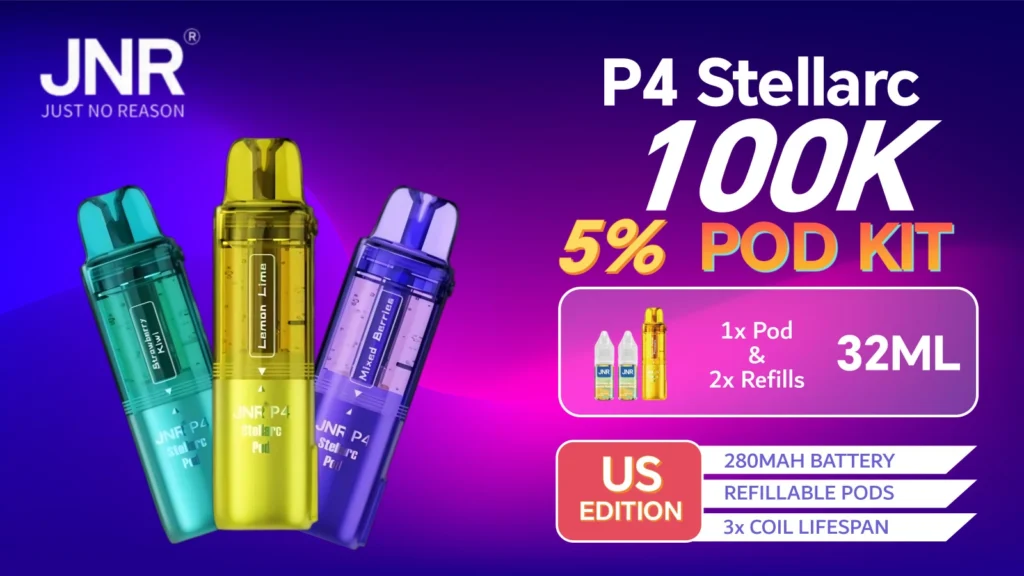
Yes. Actually, all pods come with 2 e-liquid bottles (10mL for each.) To refill the tank, locate the rubber cover on one side of the pod, and add new juice by yourself!
Related: JNR Vape Blinking Light Guide — decode every LED pattern on your Stellarc or GlassRock.